
Your videos, hand‑drawn.
Pick a clip and Inkflip rotoscopes it for you, redrawing every frame as ink and color: bold outlines, flat paint, comic-book dots, stained glass. It all happens on your phone. Nothing is uploaded.
Get it on Google Play Free. No account, no ads, no tracking.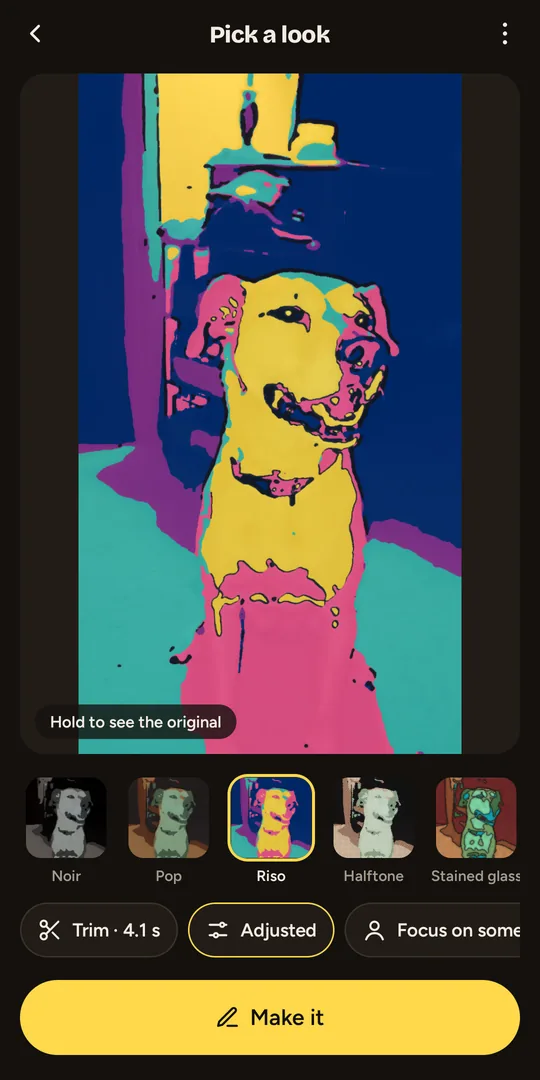
Nine looks, from ink to stained glass
- Scanner
- Vivid
- Pop
- Riso
- Noir
- Clear line
- Halftone
- Stained glass
- Pixel
From soft painted-over film to black-and-white ink to chunky pixel art. Hold the picture any time to compare with your original.
Steady, not flickery
Inkflip follows the motion between frames, so colors and lines stay put instead of boiling. Want the hand-drawn wobble? Turn it up.
Faces come through
Inkflip finds faces and keeps eyes, brows and mouths clear, so people still look like themselves in every look.
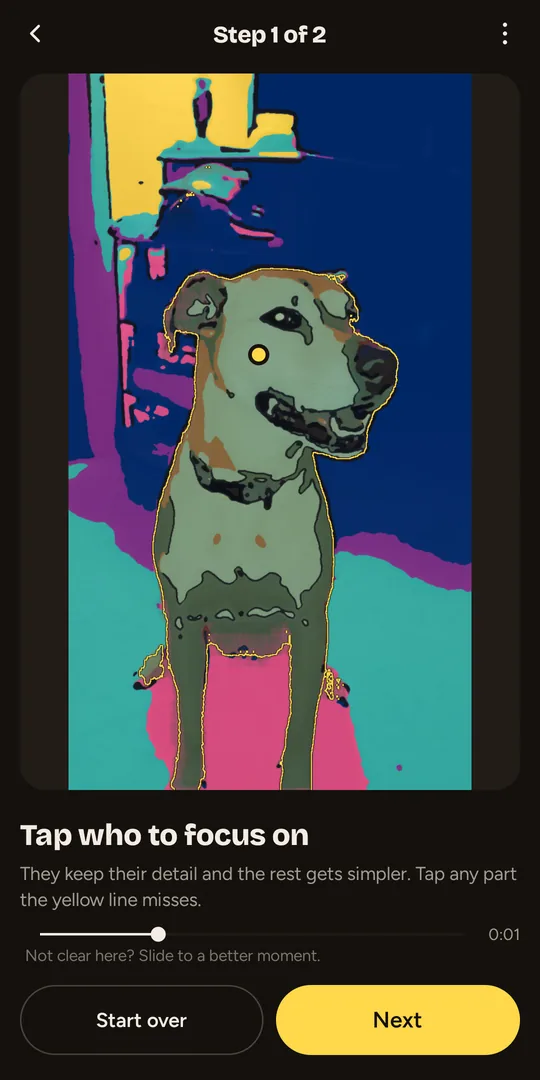
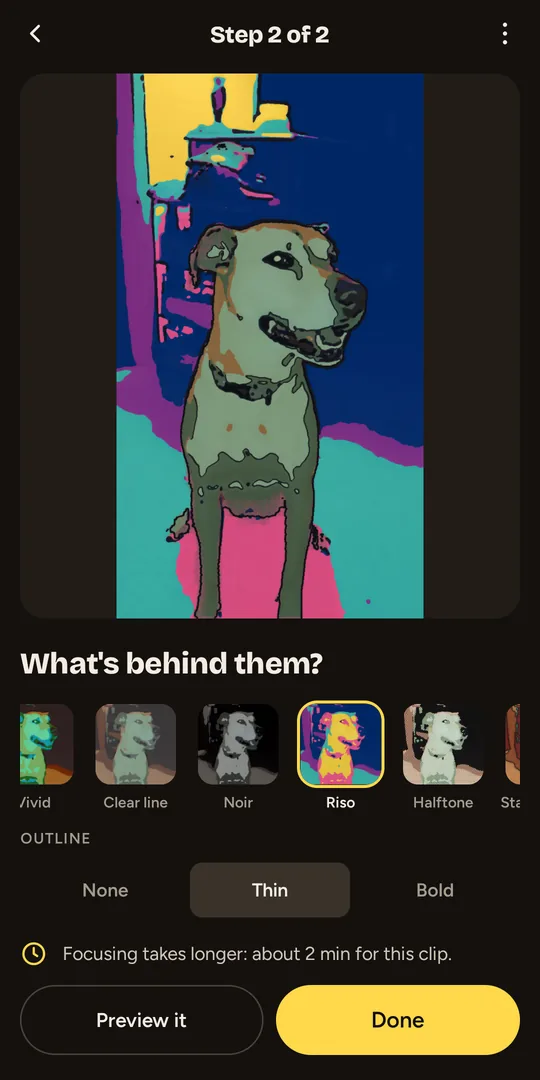
Focus on someone
Tap a person or pet (pinch to zoom in first) and they keep their detail while the rest gets simpler, give the background a look of its own, or put them over the real video, outlined.
Your colors
Draw any look in a palette (Sunset, Ocean, Forest, Candy, Blueprint and more), or make your own from five colors.
Make it yours
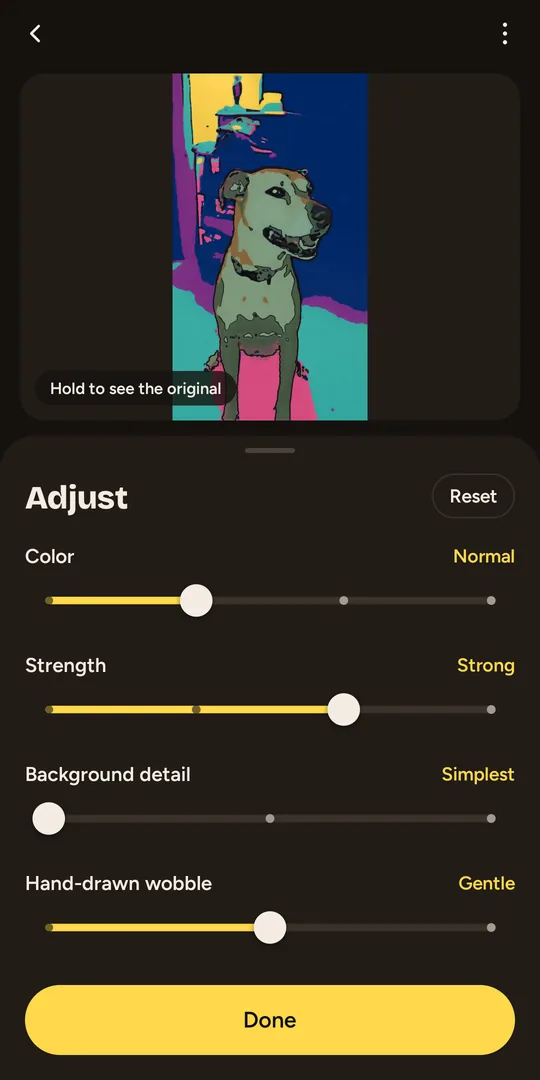
Trim to the moment you want, adjust color, strength and wobble, mirror a selfie, and choose Good or Best quality, with or without sound.
Private by design
Your video never leaves your phone. Inkflip doesn't even ask for internet access. Privacy policy
How to turn a video into a cartoon
- Install Inkflip from Google Play and tap Choose a video, or Record one.
- Tap a look to see your own clip in it. Hold the picture to compare with the original.
- Trim to the moment you want and adjust colors, strength and wobble.
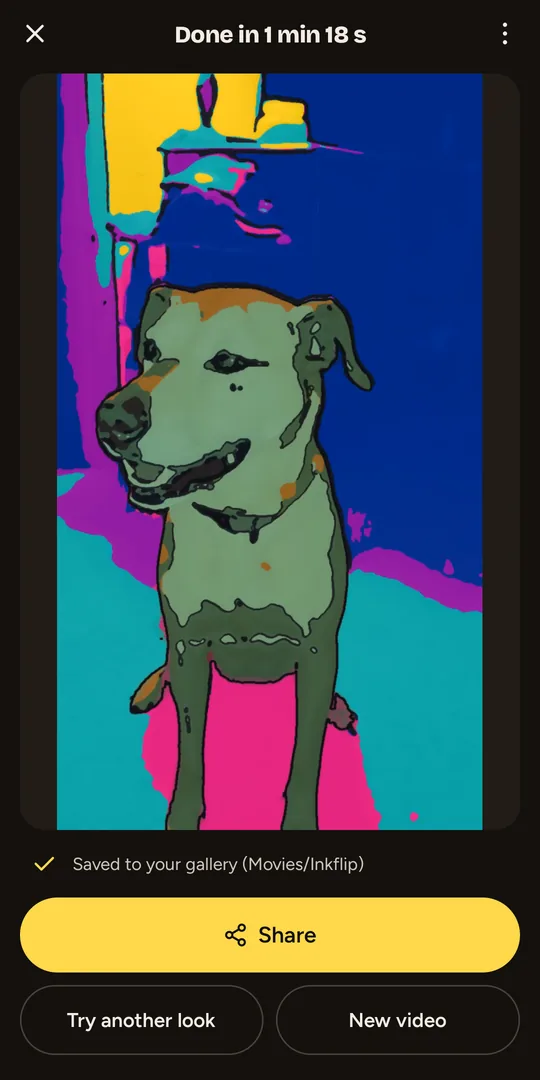
- Tap Make it. Inkflip draws every frame and saves the video to your gallery, ready to share.
Good to know
- Drawing takes a while on a phone: a few seconds of video can take a minute or two, longer with Focus on someone or at Best quality. It keeps going with a notification and lets you know when it's done.
- Needs Android 10 or later on a 64-bit phone (most phones from the last several years).
- Finished drawings save to Movies/Inkflip in your gallery, with a small Inkflip mark in the lower corner.
Questions
What does Inkflip do?
Inkflip turns a video from your phone into hand-drawn animation. It redraws every frame as ink lines and flat color, or as comic dots, stained glass or pixel art, and keeps the drawing steady from frame to frame. It's automatic rotoscoping, on your Android phone.
How do I turn a video into a cartoon on Android?
Install Inkflip from Google Play, tap Choose a video (or Record one), and tap a look to preview your clip in it. Trim it, adjust the colors if you like, and tap Make it. Inkflip draws every frame and saves the finished video to Movies/Inkflip in your gallery, ready to share.
Is Inkflip free?
Yes. Inkflip is free and has no ads and no account. Finished videos carry a small Inkflip mark in the lower corner.
Does Inkflip upload my videos or use generative AI?
No. Everything happens on your phone and Inkflip doesn't ask for internet access. It isn't generative AI and doesn't invent images: small on-device models only find faces, depth and the person you tap, and Inkflip's own image processing does the drawing.
What is rotoscoping?
Rotoscoping is the animation technique of drawing over live-action film frame by frame. Inkflip does that tracing for you: it follows the motion between frames so lines and colors stay put instead of flickering.
How long does it take?
On a phone, a few seconds of video takes a minute or two at Good quality. Best quality and Focus on someone take longer. Drawing keeps going with a notification while it works.
Which phones does Inkflip work on?
Android 10 or later on a 64-bit phone, which covers most phones from the last several years. There's no iPhone version yet.
Need help?
See Inkflip support for tips, or email [email protected].